 PhoneFerry
Your Android phone,
on your Mac.
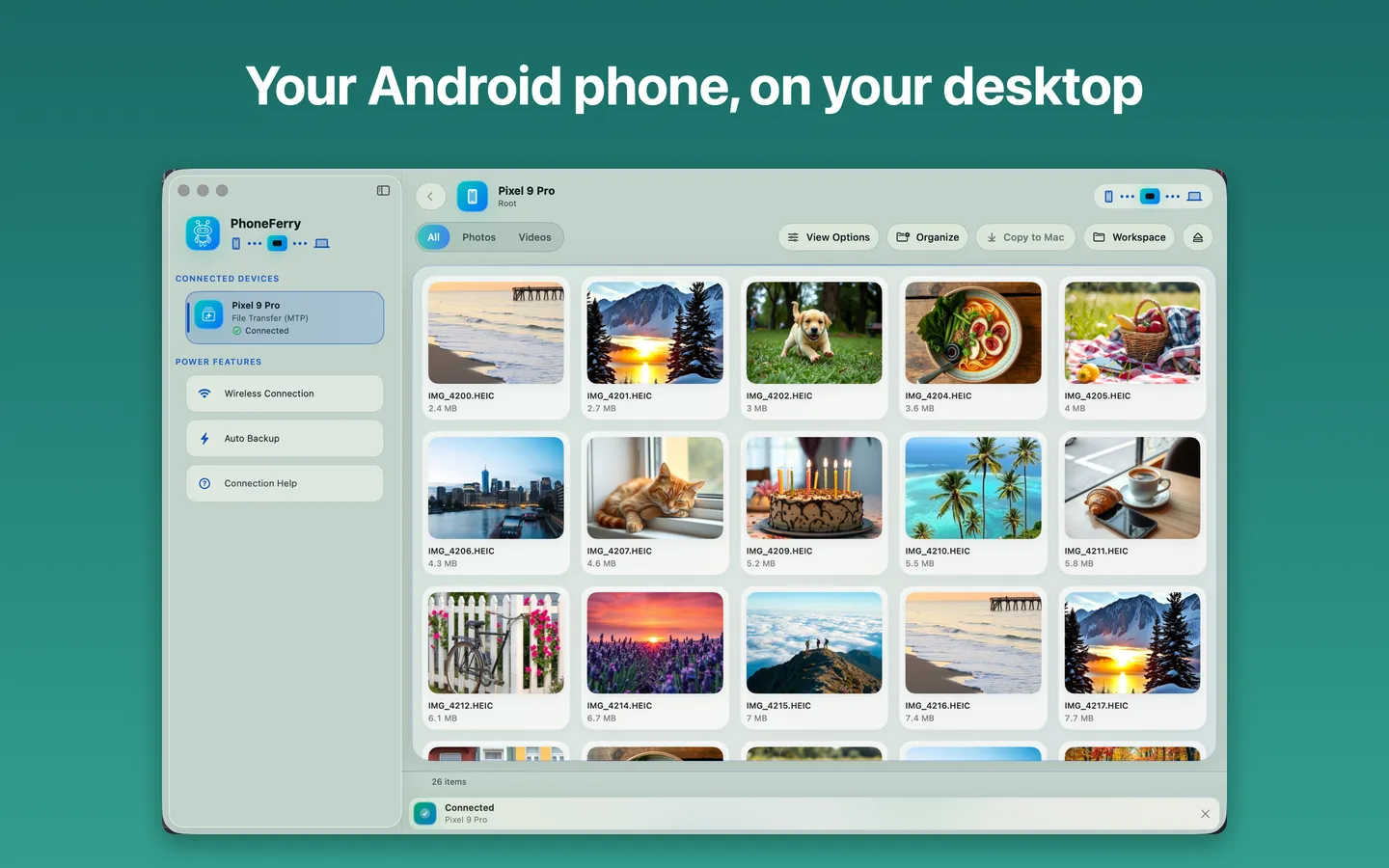
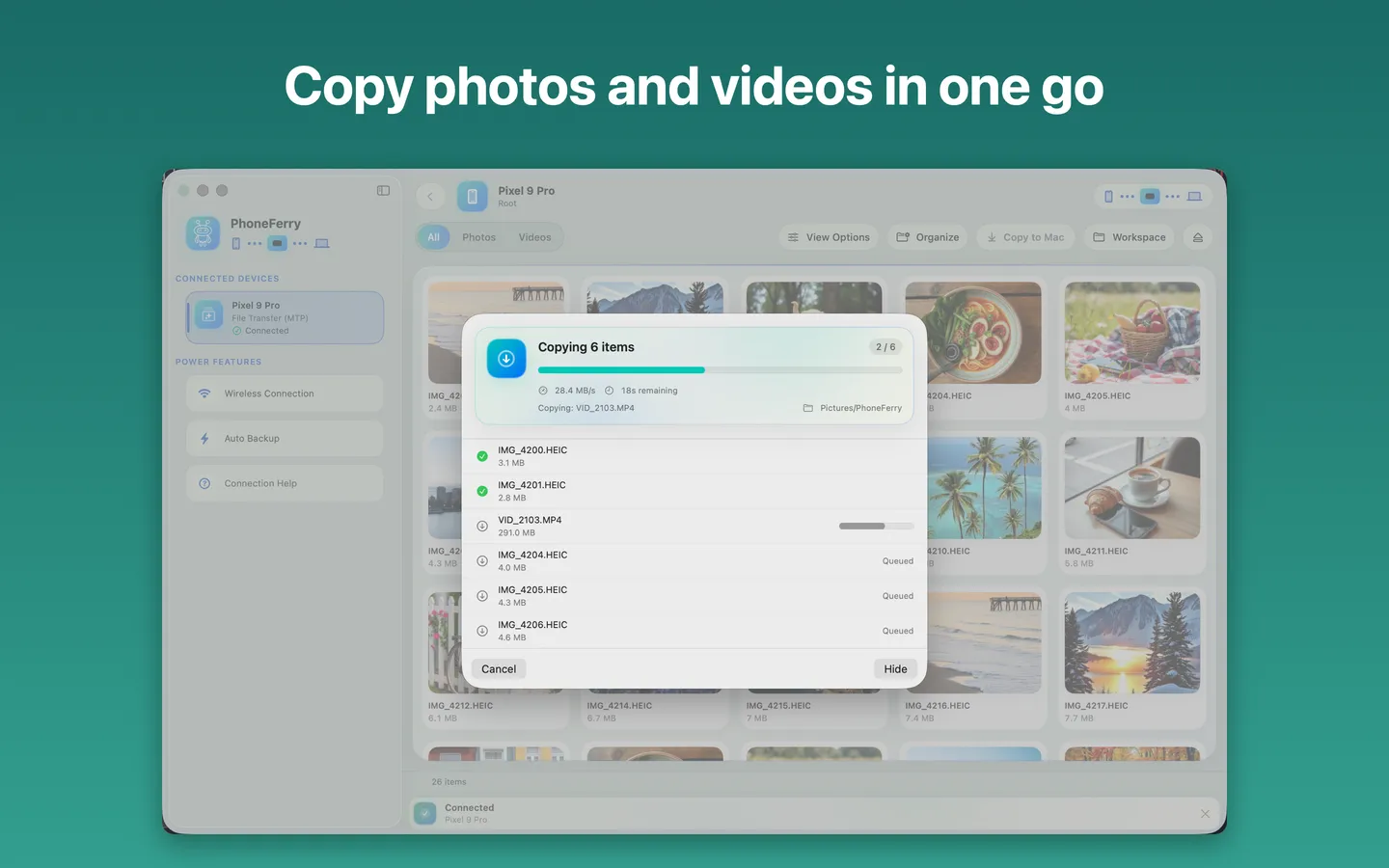
PhoneFerry is a fast file transfer app for Android phones. Plug in a cable or use your own Wi-Fi, browse photos and folders, and copy what you need to your Mac. Send files back to the phone the same way. It also imports photos and videos from an iPhone over USB.
USB + Wi-Fi
MTP, PTP and ADB
Every folder
every file type, not just photos
No account
your files never leave your Mac
Everything you need to move files between Android and Mac
Photos and videos first
The camera roll opens as thumbnails. Preview photos and videos before you copy.
Every folder, every file
Browse the whole phone storage: downloads, documents, WhatsApp media, music and more.
Send files back
Drag files from your Mac to the phone. Transfers work both ways.
Wireless
Pair once and copy over your own Wi-Fi, no cable needed.
Automatic import and backup
New photos copy to your Mac when the phone connects. Originals are deleted only if you ask, and only after a verified copy.
Safe by default
Cancel any copy at any time. Nothing on the phone is changed unless you ask.
How it works
- 1Connect your Android phone with a USB cable and unlock it.
- 2On the phone, choose “File transfer” in the USB notification.
- 3Pick photos, videos or folders in PhoneFerry and copy them to your Mac.
More Android and Mac guides
- Android File Transfer not working on Mac: what to do
- How to transfer photos from Android to Mac
- Mac not recognizing your Android phone: checklist
- MTP on Mac, explained
- Samsung Galaxy and Google Pixel to Mac
- PhoneFerry vs MacDroid vs OpenMTP
- Transfer large videos from Android to Mac
- Transfer WhatsApp photos and videos from Android to Mac
- Transfer files from Android to Mac wirelessly
- Back up Android photos to your Mac automatically
- Xiaomi, OnePlus, Motorola and other Android phones to Mac
Questions, answered plainly
Does PhoneFerry replace Android File Transfer?▼
Yes. Google's Android File Transfer app for Mac is no longer maintained. PhoneFerry does the same job natively on current macOS, and adds thumbnails, preview, Wi-Fi and backup.
Which phones work?▼
Android phones that offer File transfer (MTP) or Photo transfer (PTP) over USB, from any maker. USB debugging (ADB) and wireless debugging are optional extra routes.
What is free?▼
Every feature is in the free download, with a 1 GB transfer allowance. PhoneFerry Pro, a one-time purchase or a subscription, removes the limit. The App Store shows the price before you pay.
Where do my files go?▼
Straight from the phone to the folder you choose on your Mac. There is no account and no cloud, and we collect no data.
Does PhoneFerry work with an iPhone?▼
Yes, for photos and videos. Connect an iPhone by USB and PhoneFerry imports photos and videos from its camera roll. Browsing every folder, sending files back and Wi-Fi work with Android phones.
Get your photos off your Android phone today.
PhoneFerry is an independent app and is not affiliated with, endorsed by, or sponsored by Google or any device manufacturer. Android is a trademark of Google LLC.