
Every flight logged.
Ready for any audit.
The logbook for Part 107 certificate holders, Part 137 operators and serious hobbyists. Log flights, drones, batteries and maintenance, run a live timer with checklists, and hand an inspector or insurer a clean PDF audit packet.
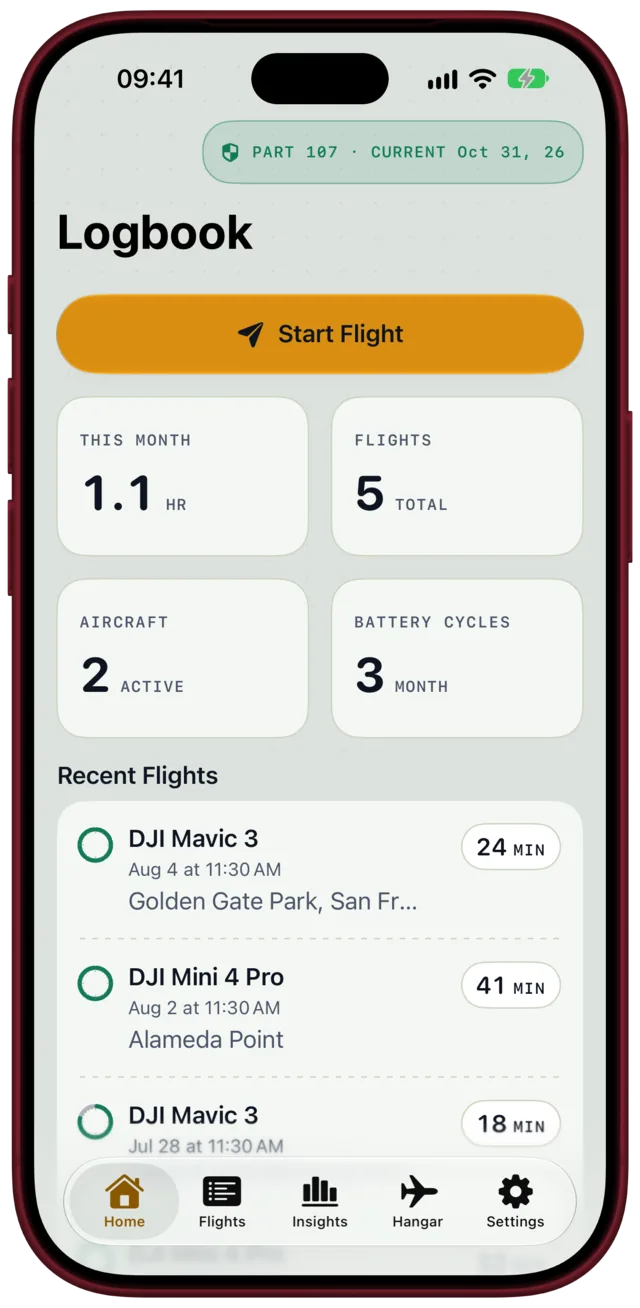
Audit-ready PDF
flights, maintenance, incidents
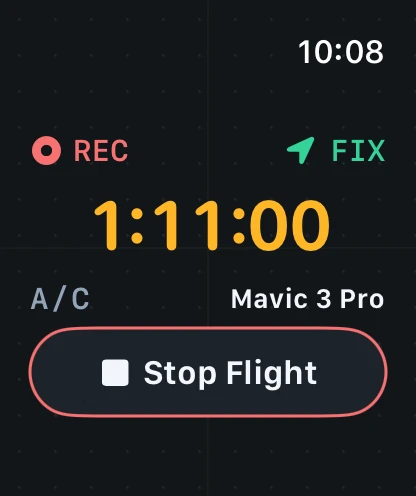
Apple Watch timer
start and stop from your wrist
No sign-up
syncs through your own iCloud
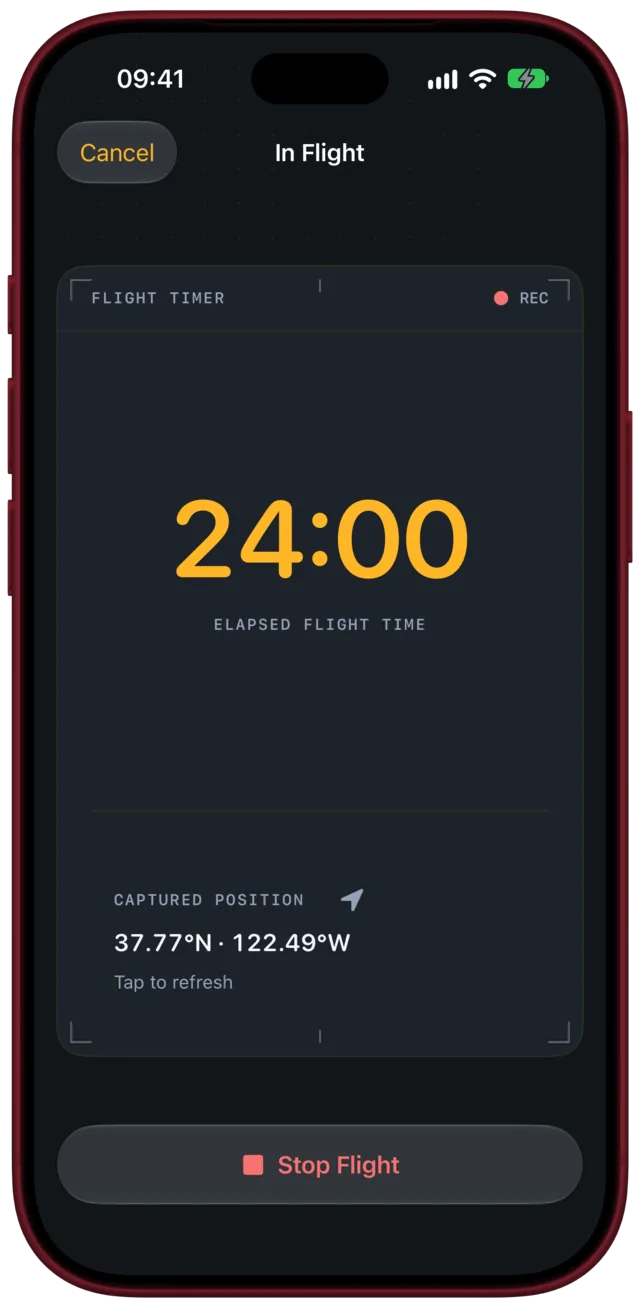
Start the timer.
Fly. Save the log.
A guided timer walks you through your pre-flight and post-flight checklists, captures the position and saves the flight straight to your log. Hands full? Start and stop it with Siri, Shortcuts, the Action Button or your Apple Watch.
- Custom, reorderable pre-flight and post-flight checklists
- Airspace, NOTAM, weather and LAANC checks in an auditable trail
- Every flight classified day, night or twilight from the sun position
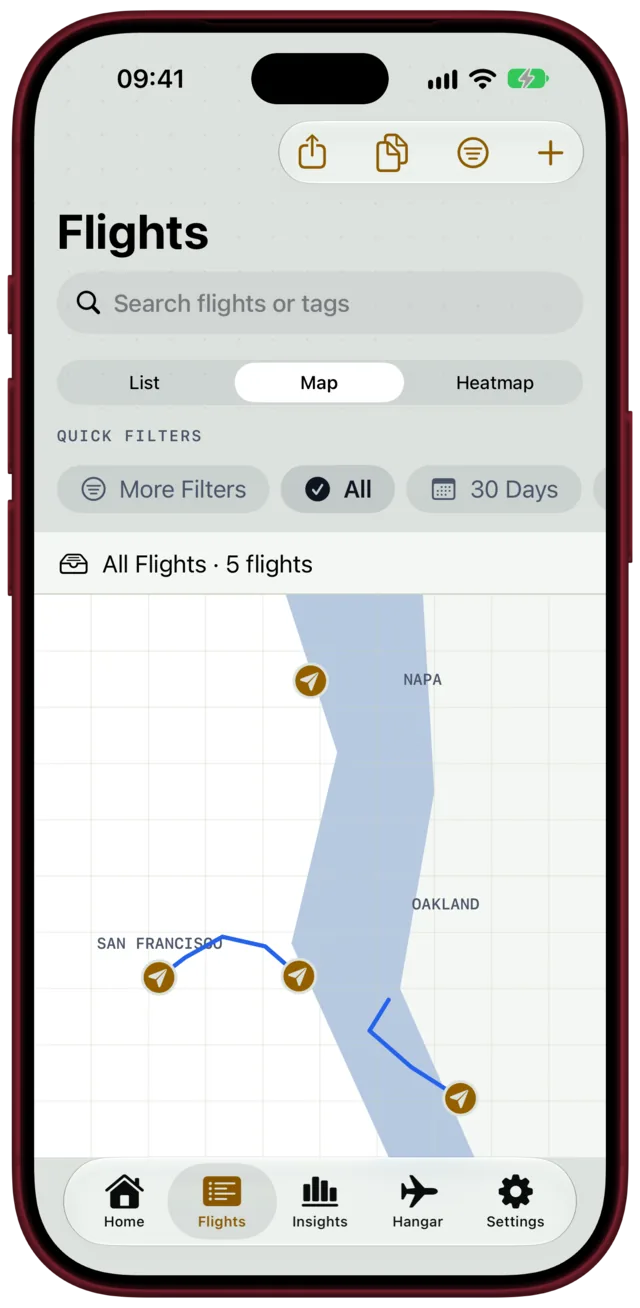
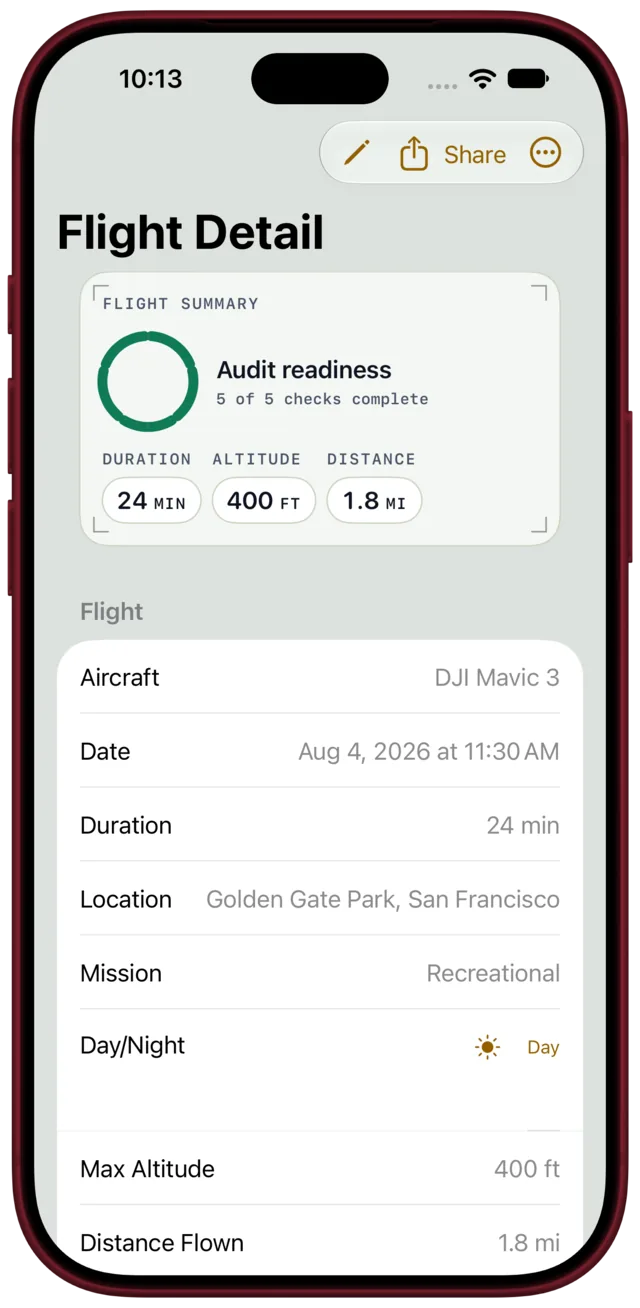
Every detail an inspector will ask for.
Date, location, duration, altitude, distance, aircraft with FAA registration, serial number and Remote ID, mission type, batteries and notes — for every flight. See them all on a map or as a heatmap, filter by date, aircraft or tags, and duplicate the last flight to log back-to-back sorties fast.
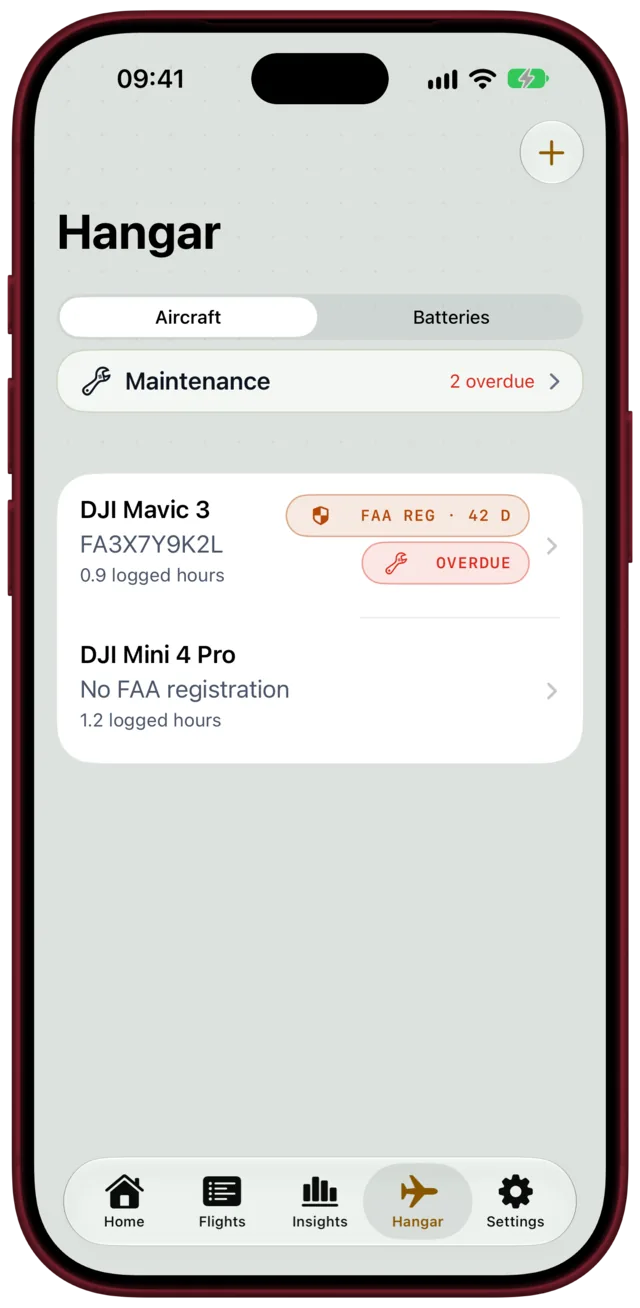
Drones, batteries
and maintenance, tracked.
Keep every aircraft with its registration and logged hours. Log maintenance — firmware, props, calibrations — with recurring rules and due or overdue reminders, track battery cycles with retirement warnings, and get reminded before your FAA registration expires.
- Recurring maintenance rules with due and overdue alerts
- Battery cycle tracking with retirement warnings
- Registration and Part 107 certificate expiry reminders
Export an FAA-ready
PDF audit packet.
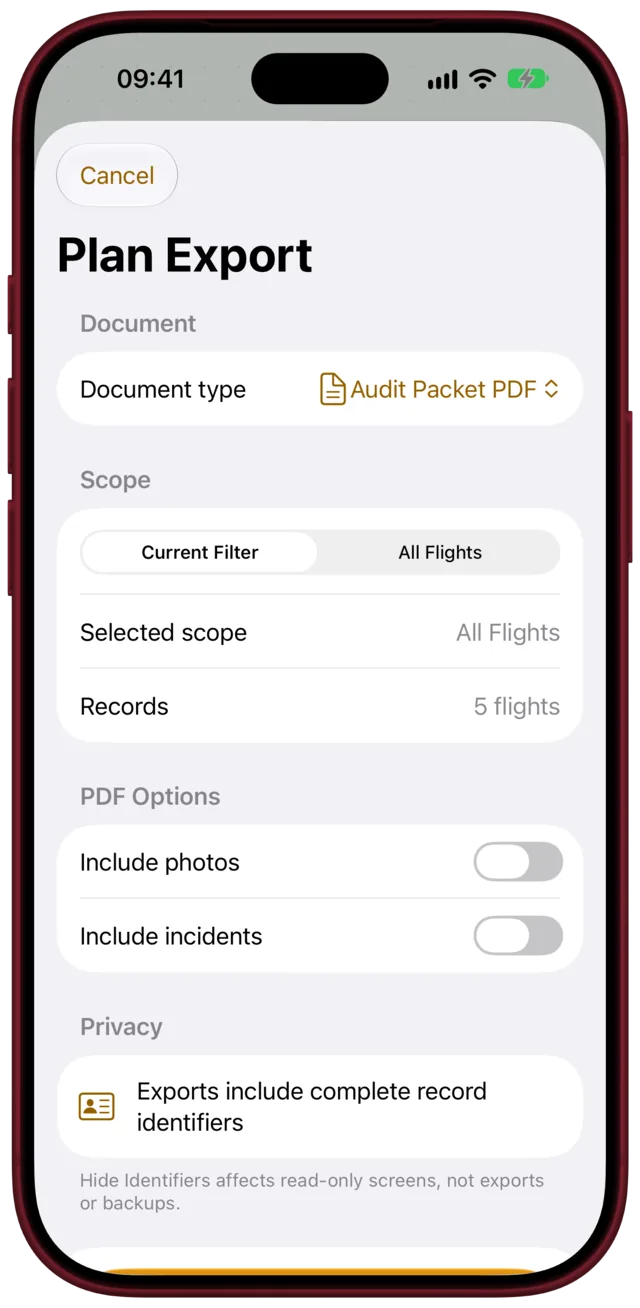
One paginated PDF with your flight log table, maintenance history, incident appendix and compliance summary — ready for an inspector, an insurer or a client. Export CSV for spreadsheets, or import your existing AirData and PhantomHelp logs.
- PDF audit packet with page numbers and notes
- CSV export and AirData / PhantomHelp CSV import
- Full JSON backup and restore, merge or replace
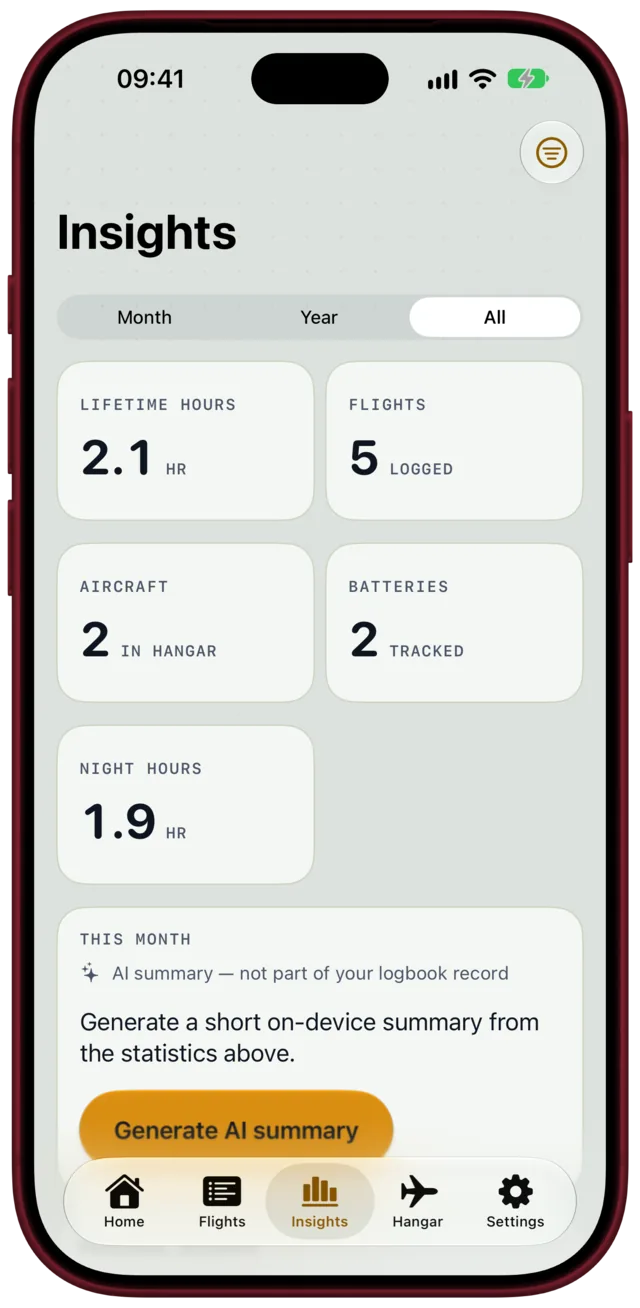
See your flying
at a glance.
A charts tab shows hours flown by month, hours per aircraft, battery cycle trends and your compliance rate, plus personal records. A Home Screen widget keeps this month’s flight count in view.
- Hours per month and per aircraft
- Battery cycles and compliance completion
- Home Screen widget, kept fresh across your devices
Log your first 10 flights free.
Go Pro when you need more.
Every feature works in the free version for your first 10 flights. Pro unlocks unlimited flights and PDF/CSV export and import, as a yearly plan or once, with Family Sharing. The App Store shows the price before you pay. No ads, no tracking.
Private by design
Your logbook lives on your devices and in your own iCloud. We never see it.
No account, no ads
No sign-up, no ads, no analytics, no tracking.
Never locked in
Export PDF, CSV or a full JSON backup whenever you want.
Imperial or metric
Units adapt for altitude, distance, wind, visibility and temperature.
Questions, answered plainly
Is the logbook FAA-compliant?▼
Part 107 does not prescribe a logbook format, and the FAA does not certify logbook apps. What the app gives you is a complete, consistent record — date, location, duration, aircraft with registration and Remote ID, mission, checklists, maintenance and incidents — and an audit packet PDF that presents it cleanly for an inspector, an insurer or a client. You remain responsible for your records.
What is free, and what does Pro add?▼
You can log up to 10 flights with every feature. Pro unlocks unlimited flights and PDF/CSV export and import, either as a yearly subscription or as a one-time lifetime purchase with Family Sharing. Prices are shown in your local currency before you buy.
Can I bring my existing logs?▼
Yes. The app imports AirData and PhantomHelp CSV files, and some DJI flight-record TXT files; encrypted DJI files need your own DJI developer key and your explicit consent, and are decrypted with DJI’s key service.
Does it work outside the US?▼
Yes. Choose a regulatory profile — FAA, Transport Canada, EASA or general international — and field labels and export wording follow it. The interface is available in English, Spanish, Portuguese, German, French and Italian.
Where is my data stored?▼
On your devices and, if you use iCloud, in your private iCloud database. There is no account and no server of ours; we never see your flights. A full JSON backup can be exported and restored at any time.
How do refunds and support work?▼
Purchases go through Apple’s App Store, so refunds are requested from Apple in your purchase history. For questions or feedback, write to [email protected]. Not affiliated with the FAA, Transport Canada, EASA or DJI.